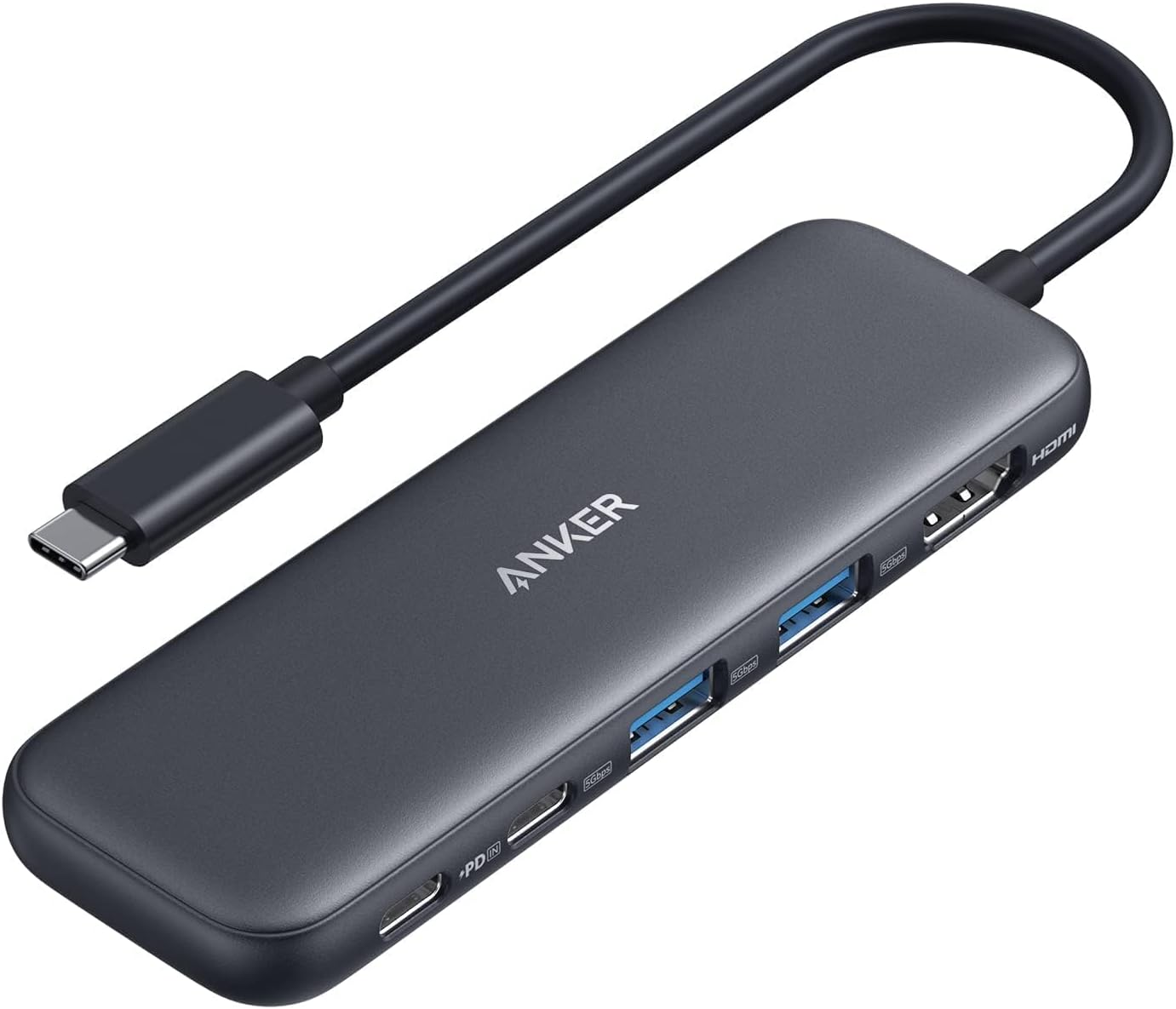
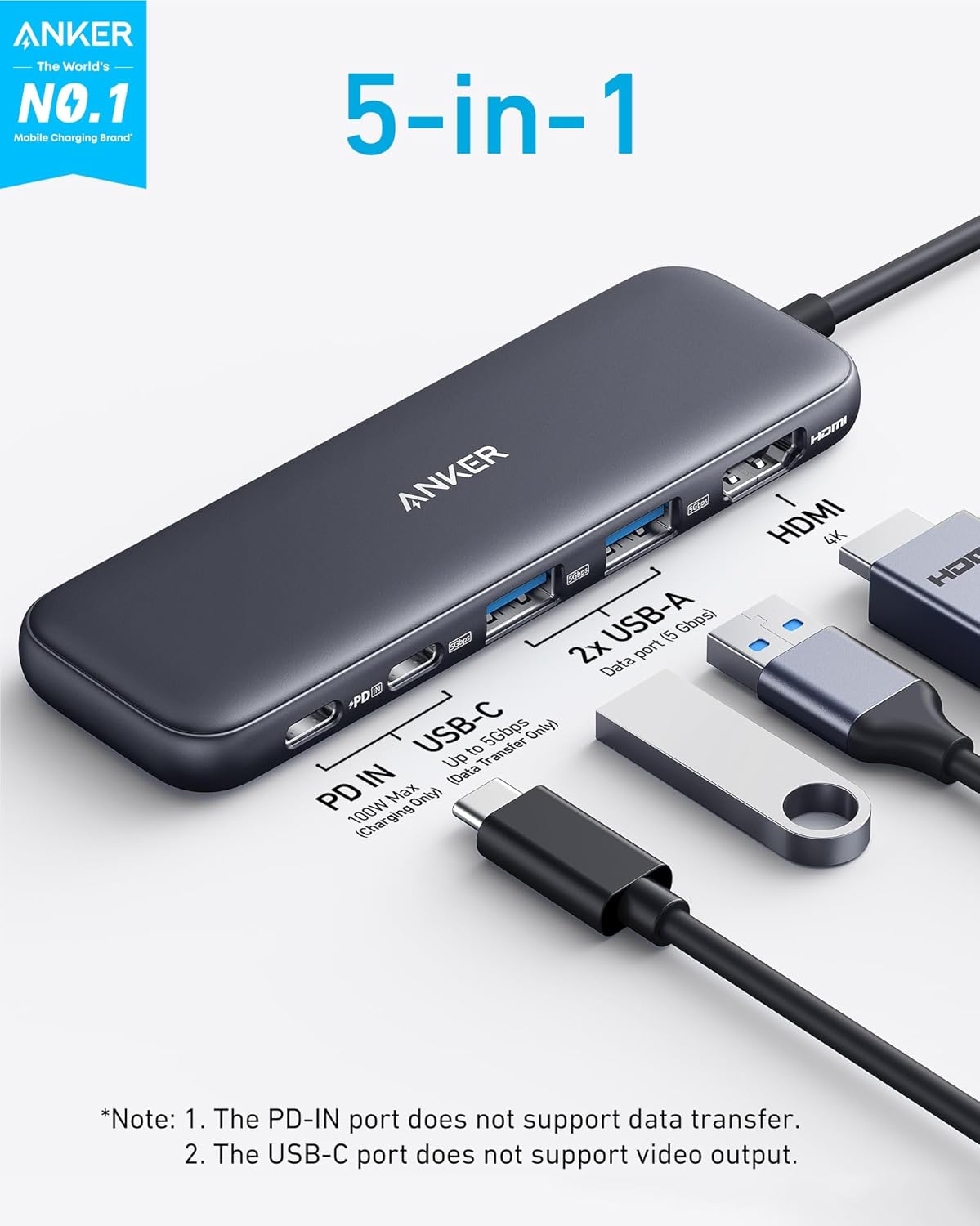

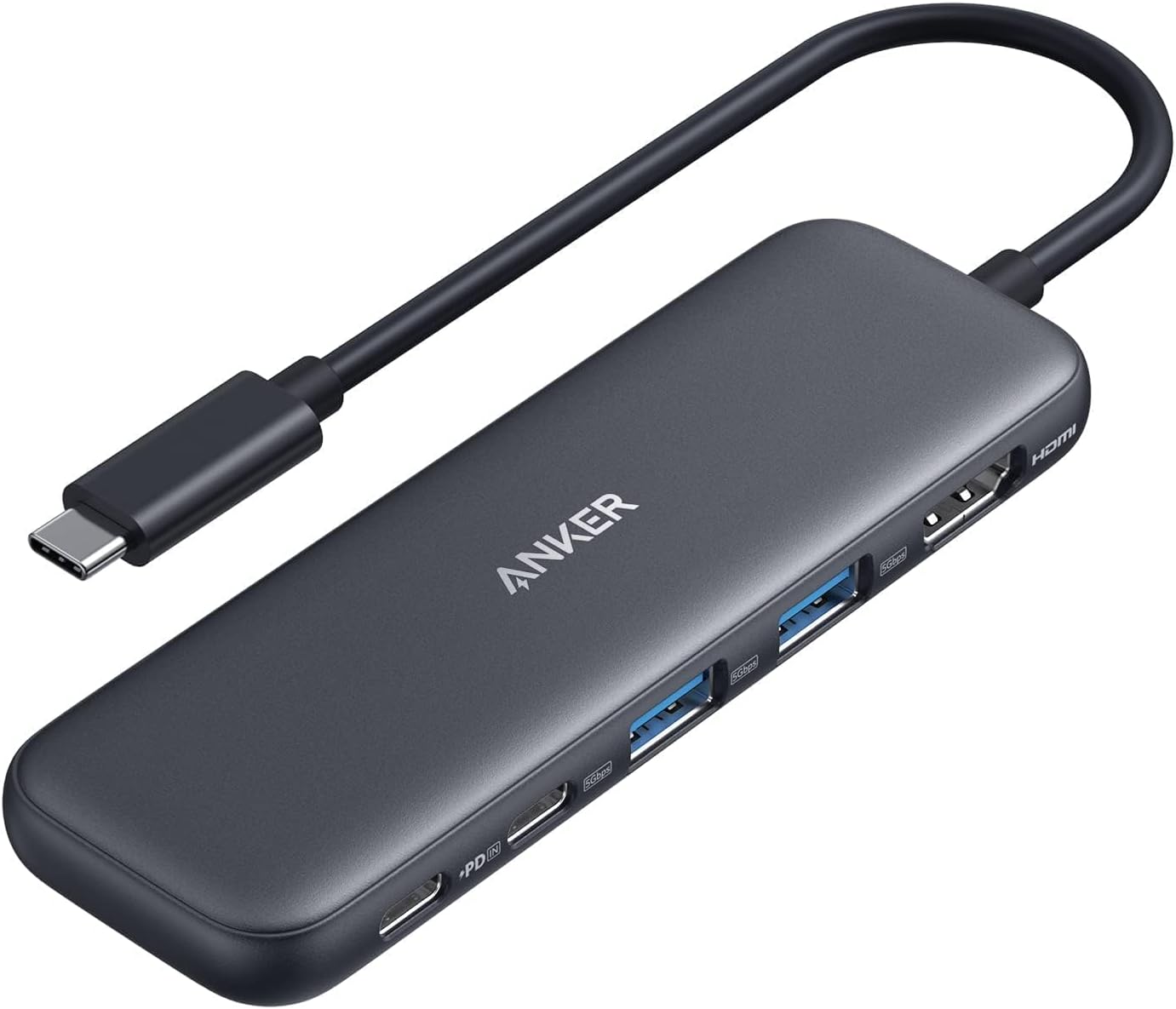
The Anker USB-C Hub is a versatile 5-in-1 adapter perfect for expanding your laptop's connectivity. Featuring a 4K HDMI port, two USB-A ports, and a USB-C data port, it allows for fast file transfers and seamless display mirroring. Benefit from 85W pass-through charging to keep your laptop powered while in use, and enjoy broad compatibility with MacBook, Windows, and ChromeOS devices. This compact hub from Anker is a must-have for productivity on the go!
Expand your laptop’s connectivity with the Anker USB C Hub. 4K HDMI, fast data transfer, & 85W power delivery. Perfect for MacBook, Dell & more! Shop now.
Table of Contents
USB C Hub – Complete Review 2025
In today’s digital world, a USB C Hub has become an essential gadget for anyone wanting to boost their laptop connectivity—especially for users of MacBook Pro, MacBook Air, and Dell laptops.
Key Features of the USB C Hub
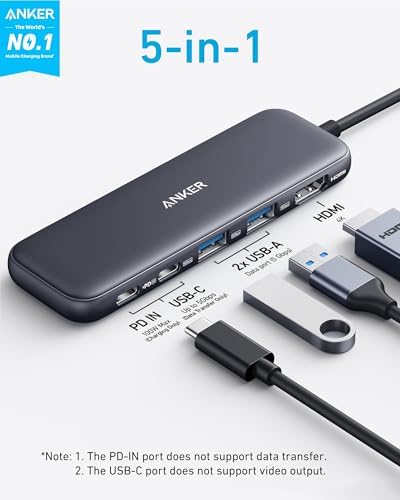
- 5-in-1 Connectivity: Includes a 4K HDMI port, 5 Gbps USB-C data port, two 5 Gbps USB-A 3.0 ports, and a dedicated 100W USB-C PD-IN charging port.
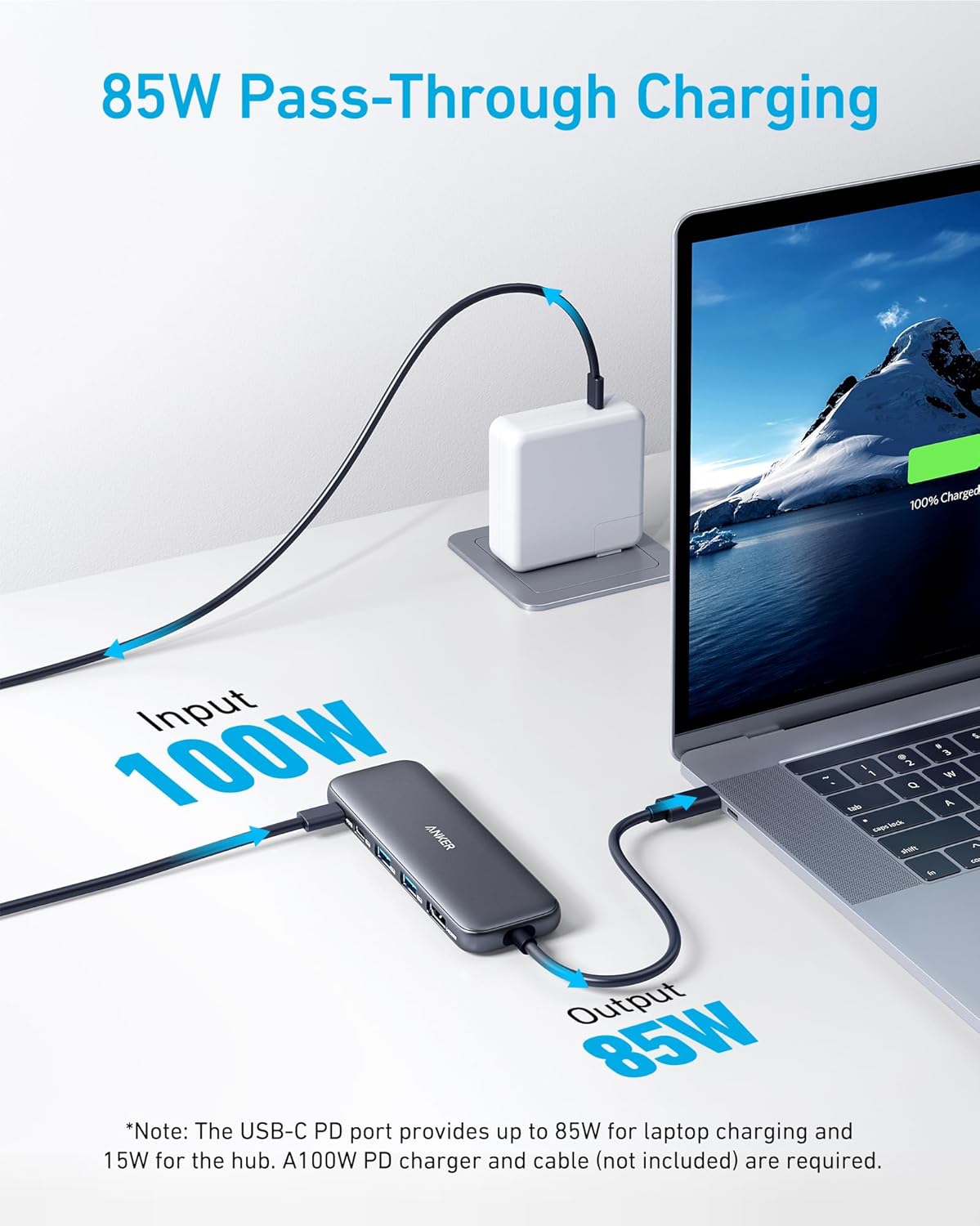
- Powerful Pass-Through Charging: Supports up to 85W of continuous charging, letting you power your laptop while using other devices.
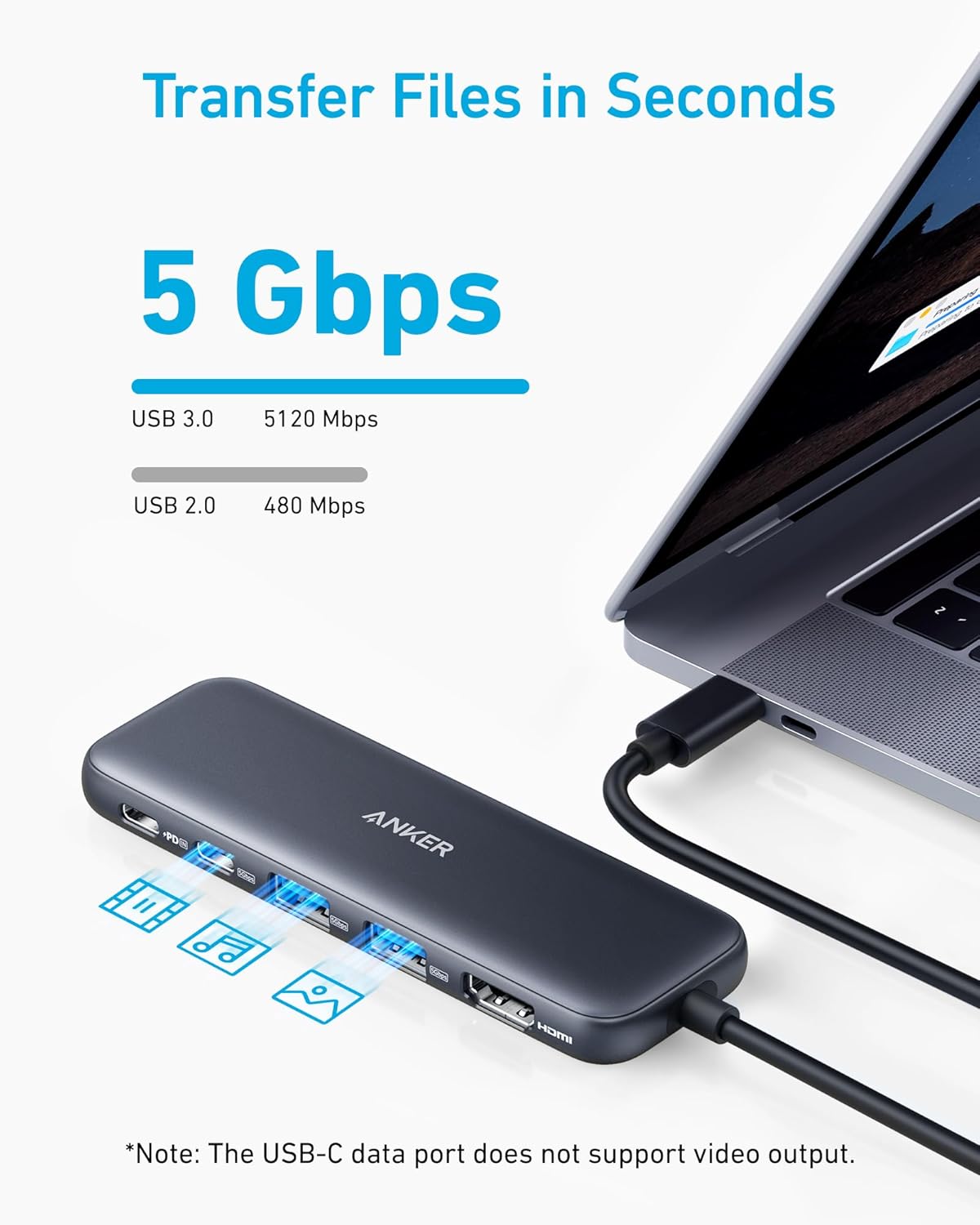
- High-Speed Data Transfer: Transfer files at blazing speeds up to 5Gbps, perfect for moving photos and videos quickly.
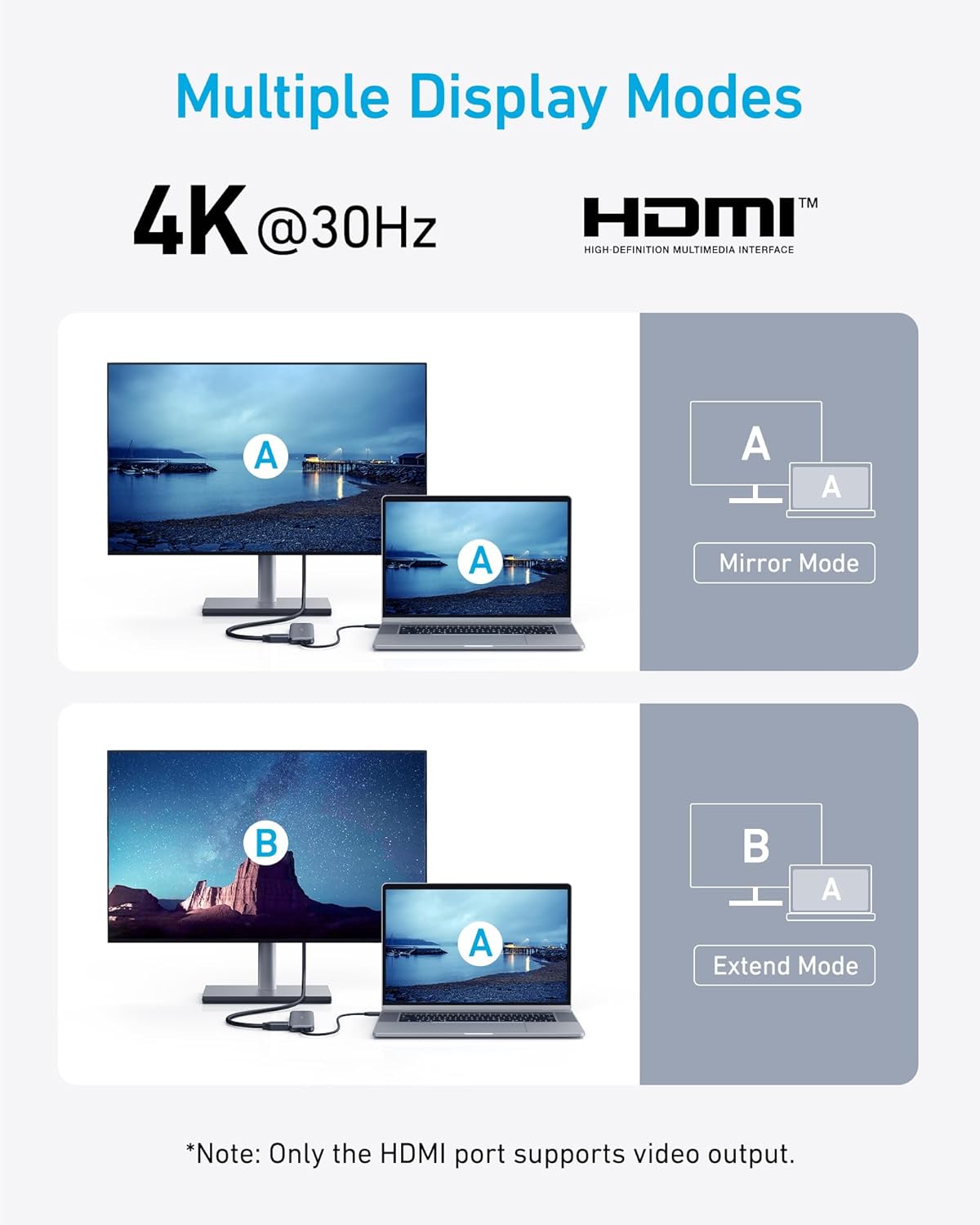
- Stunning 4K Display: Stream or mirror your content in crisp 4K@30Hz over HDMI to any external monitor.
- Universal Compatibility: Works with USB-C, USB4, Thunderbolt-enabled devices; supports MacBook Pro, MacBook Air, Dell, and most modern laptops with DP Alt Mode and Power Delivery.
- User Peace of Mind: Comes with Anker’s 18-month warranty and excellent customer service.
Real-World Performance Testing
We put the Anker USB C Hub through a series of demanding real-life scenarios—connecting external displays, transferring large media files, and powering a MacBook and Dell XPS 13. Throughout, the USB C Hub offered incredibly smooth 4K HDMI output and maxed out file transfers at 5 Gbps between various external drives and SD cards. Pass-through charging excelled, consistently reaching close to 85W while all ports were in use, ensuring your workflow remains uninterrupted—even during heavy multitasking sessions on MacBook Pro or USB4-enabled laptops.
How It Compares to Alternatives
Compared with hubs from brands like UGREEN and Satechi, the Anker USB C Hub stands out for its reliability and true 4K display support, while maintaining a compact and sleek design. Some competitors may offer more ports, but the Anker hub excels in power delivery consistency and build quality—a critical factor for on-the-go professionals. PCWorld also recognizes Anker’s lineup for their certified adaptive charging, while users on Reddit USB-C Hardware consistently recommend Anker for both MacBook and Windows users.
For more insights and video walkthroughs, check out hands-on reviews on YouTube for the latest hub recommendations and user experiences.
Who Should Buy This Product?
This device is ideal for digital creatives, students, business travelers, and remote workers who need multiple fast ports on ultrathin laptops with limited IO. It’s especially great for MacBook (Pro/Air), Dell XPS, and Thunderbolt/USB4-equipped devices where stable HDMI, power delivery, and fast data transfer are a must. Not intended for Linux users as it’s not officially supported.
Related Products You Might Like
UGREEN USB C Hub Multiport Adapter
Expand your device’s ports with HDMI, Ethernet, and SD card slots.
Satechi Aluminum Multi-Port Adapter V2
Sleek hub with Thunderbolt 3 pass-through and 4K HDMI support.
Baseus 8-in-1 USB C Hub
Add more connectivity options including 100W PD, VGA, and more.
Dell USB-C Mobile Adapter
Perfect for Dell laptops—compact and travel-friendly with multiple I/O.
Frequently Asked Questions
- Can the Anker USB C Hub support dual 4K monitors?
No, it supports single 4K@30Hz output through HDMI. For dual displays, consider alternative docks that provide DisplayLink or MST support. - Does it work with iPads and Chromebooks?
Yes, provided your device supports DP Alt Mode and Power Delivery. Check your device specs for compatibility. - Can I charge a MacBook and transfer data on other ports simultaneously?
Absolutely! One of the best features of the USB C Hub is pass-through charging up to 85W alongside high-speed data transfer via USB-A and USB-C data ports. - Is Linux supported with this USB C Hub?
Unfortunately, Linux is not currently supported—compatibility is limited to macOS, Windows, and ChromeOS. - Where can I buy the Anker USB C Hub?
You can purchase the Anker USB C Hub directly from Amazon for the best warranty and price.
In conclusion, if you need versatile, reliable connectivity and robust charging for your USB-C laptop, the USB C Hub remains the top pick for 2025. Its blend of 4K HDMI, fast transfers, and power delivery makes it an indispensable tool for any connected workflow. Check current deals on Amazon here and bring multiport power and simplicity to your setup.
- Explore the latest portable power stations for off-grid productivity.
- Discover smart organization for desks with LED panel accessories.